


How to Choose Tech Products Wisely (And Stop Paying for Hype)
Most people have bought a tech product they regretted. It looked impressive in the launch video, had jaw-dropping specs on paper, and came with glowing five-star reviews. Then it arrived. And it was just… fine. Or worse.
- Why Tech Hype Exists and Why It Works on Smart People
- Define What You Actually Need Before You Look at Any Product
- The Use-Case Audit: A Simple Self-Interview
- Setting a Realistic Budget Range (Not a Single Price Point)
- How to Choose Tech Products Wisely Using the Right Sources
- First-Week Reviews vs. Long-Term Ownership Reports
- Red Flags in Tech Reviews You Should Learn to Spot
- Separating Real Specs From Marketing Noise
- Use a Decision Framework, Not a Gut Feeling
- Step 1: Shortlist by Use Case, Not Brand Loyalty
- Step 2: Compare on Verified Benchmarks, Not Ad Claims
- Step 3: Check Ownership Community Feedback at 3+ Months
- Step 4: Apply a 48-Hour Cooling-Off Rule Before Purchase
- Smart Tech Buying Tips for Specific High-Stakes Categories
- Buying a Smartphone Without Getting Pulled Into the Upgrade Cycle
- Choosing a Laptop Based on Workload, Not Branding
- Wireless Audio: Where Hype Is Thickest and Value Is Most Skewed
- When Waiting Is the Best Buying Decision
- How to Track Product Cycles Without Becoming Obsessed
- Sales Events That Are Real vs. Artificial Urgency
- Building Long-Term Confidence as a Tech Buyer
- Conclusion
If that sounds familiar, the problem is not your judgment. The problem is the system you used to make the decision. Learning how to choose tech products wisely is not about becoming a tech expert. It is about asking better questions before you spend money.
This article gives you a clear, practical process for doing exactly that. You will learn why hype is so effective, how to cut through it, and how to build a buying habit that protects your wallet on every purchase going forward.
Why Tech Hype Exists and Why It Works on Smart People
Tech companies are not just selling products. They are selling the feeling of being ahead, being capable, and making a smart choice. That feeling is carefully manufactured, and it works on intelligent people precisely because it is built to look like information.
The mechanics behind it are consistent across brands. Launches are timed to create urgency. Comparisons are made selectively against older competitors. Features are named to sound transformational even when the underlying change is minor. The goal is to make you want before you evaluate.
Understanding this is not about becoming cynical. It is about knowing what you are dealing with so your purchasing decisions stay in your hands, not theirs.
The Psychology of Spec Numbers
Numbers feel objective. A camera with 200 megapixels sounds better than one with 50. A processor running at 4.2 GHz sounds faster than one at 3.8 GHz. Brands know this, and they use it.
The reality is that most specs have a ceiling beyond which real-world performance does not improve meaningfully. Megapixels determine image resolution, not image quality. Clock speed is one variable in processor performance, not the whole picture. Battery capacity in mAh tells you nothing about software efficiency or screen drain.
This is a core part of the buying tech guide problem: specs are presented as performance, but they are really just ingredients. What matters is how those ingredients are combined and how they perform in actual use.
How Launch Events Are Designed to Bypass Critical Thinking
Apple’s keynotes, Samsung Unpacked, and CES reveals. These are theatrical productions first, product announcements second.
Camera demos are shot under controlled studio lighting designed to make sensors look flawless. Speed tests compare the new product against a two-year-old predecessor. The presenter’s confidence and polished delivery create a halo effect where the quality of the show bleeds into your perception of the product.
By the time you walk out of that experience, or close the YouTube tab, desire is already installed. The review process that should come next feels like an obstacle rather than a necessity.
Define What You Actually Need Before You Look at Any Product

Most buying mistakes happen before you open a single product page. They happen because you start with a product in mind and build your justification from there. You reverse-engineer a need to fit a desire.
The fix is to start with your actual life. What do you do? Where do you do it? What is genuinely not working right now? When you answer those questions first, you eliminate most of the market before you start researching. That is not boring. That is being effective.
The Use-Case Audit: A Simple Self-Interview
Before you search for anything, answer these questions honestly:
- What do I use my current device for most often, on a typical day?
- What specifically frustrates me about it right now?
- Where do I use it most: at a desk, in transit, outdoors?
- Does anyone else use this device, and do their needs matter here?
- What would genuinely change about my day if this problem were solved?
This is a smart tech buying tip that sounds almost too simple, but it works. Most people who go through this process realise they need a mid-range upgrade rather than a flagship, or that their frustration is a software issue no new hardware will fix.
Setting a Realistic Budget Range (Not a Single Price Point)
Thinking in exact price points creates problems. You either overshoot chasing the “right” number or undershoot and compromise on something that matters.
Budget bands work better. Instead of “I will spend £700,” try “I am comfortable between £550 and £750.” This gives you flexibility to choose the right product rather than the nearest product to an arbitrary figure.
The sweet spot in most categories sits one tier below flagship. Mid-range phones from major manufacturers now handle photography, gaming, and daily productivity at a level indistinguishable from flagships for most users. The same pattern holds in laptops and audio gear. After a certain threshold, you pay a significant premium for marginal gains.
How to Choose Tech Products Wisely Using the Right Sources
The review ecosystem has a conflict of interest problem. A large portion of online reviews is written by people who need the manufacturer’s goodwill to keep receiving early access. Affiliate revenue models mean some reviewers earn more when you buy an expensive product over a cheaper one that might serve you better.
None of this means reviews are useless. It means you need to know which ones to trust and why.
Look for reviewers who test products over extended periods, document problems they encounter, and acknowledge when a cheaper alternative performs comparably. Teardown channels and independent lab testers are particularly valuable because their methodology is visible.
First-Week Reviews vs. Long-Term Ownership Reports
A review published within 48 hours of a product launch has a structural reliability problem. The reviewer had limited time with the device, often under conditions the manufacturer partially controlled. The firmware is typically optimised for launch performance. Battery drain issues, software bugs, and build quality failures take weeks or months to surface.
Contrast this with a 3 to 6 month follow-up review, a six-month Reddit thread in the product’s dedicated community, or the Q&A section on a major retailer’s product page. These sources capture what ownership actually looks like after the initial excitement fades.
When making a significant purchase, search for both. The launch review tells you what a product can do. The long-term report tells you what it reliably does.
Red Flags in Tech Reviews You Should Learn to Spot
Not every compromised review is dishonest. Some are just rushed or shallow. Learn to recognise these patterns:
- No mention of any downsides or limitations whatsoever
- Vague language around battery life like “lasted all day” with no specifics
- No real-world footage, only controlled demo conditions
- Affiliate links without clear disclosure in the post
- The reviewer mentions the unit was returned to the manufacturer before publishing
- The conclusion matches the manufacturer’s own marketing language almost exactly
When you see two or more of these in the same review, treat that source as a starting point for research, not a conclusion.
Separating Real Specs From Marketing Noise
Knowing how to avoid marketing hype in tech comes down to understanding which specs have a direct impact on your experience and which ones exist primarily to win a spec sheet comparison.
This is not about becoming a hardware engineer. It is about knowing the three or four numbers that actually move the needle in each category and ignoring the rest.
Specs That Matter vs. Specs That Sell
Phones: Megapixel count is one of the most misused figures in marketing. What determines photo quality is sensor size, aperture, and image processing. Battery life matters more than mAh capacity because software efficiency and display brightness determine drain. Processor choice matters, but for daily tasks, the performance gap between mid-range and flagship chips is imperceptible to most users.
Laptops: Peak benchmark scores look impressive and mean very little during sustained workloads. A processor that runs at full speed for 30 seconds before throttling due to heat is worse for video editing or compiling code than a slower chip that runs consistently. RAM above 16GB offers meaningful benefits primarily for video editing, large spreadsheet work, or running virtual machines. SSD read and write speeds matter mainly for large file transfers, not everyday browsing.
TVs: Panel type is the most important spec: OLED delivers better contrast and viewing angles than LED-backlit LCD panels regardless of what the contrast ratio figure says. Local dimming zone count matters more than the peak contrast ratio printed on the box. Refresh rate above 60Hz is genuinely useful for gaming; for watching films or TV, it is largely irrelevant.
Earbuds: Claimed frequency response ranges are almost entirely a marketing figure. Driver size and driver type matter more. Codec support (AAC for Apple devices, aptX or LDAC for Android) determines whether audio quality over Bluetooth reaches its potential. ANC effectiveness should be measured in decibels of attenuation, not described as “industry-leading.”
When “New Generation” Does Not Mean “Better for You”
A product being newer does not make it better for your specific situation. Camera sensor revisions between annual phone models often produce improvements visible only in direct comparison tests under specific lighting conditions. Chipset updates frequently deliver gains in benchmarks that translate to no perceptible improvement in the tasks a typical user performs.
Before assuming the newer model is the right choice, ask: Will I actually notice this improvement in how I use the device? If the answer requires careful thought, the answer is probably no.
Use a Decision Framework, Not a Gut Feeling
Gut feelings are useful in situations with limited information. Tech purchases are not in that situation. There is abundant information available, and the only challenge is structuring how you process it.
The four steps below apply to any tech purchase. They are not complicated. The value is in following them in order rather than skipping to the exciting parts.
Step 1: Shortlist by Use Case, Not Brand Loyalty
Write down your use case requirements from your earlier self-interview. Then search for products that meet those requirements, regardless of brand. Build a shortlist of three or four options.
Brand loyalty in tech is largely a habit. The best phone for photography is not always the same brand as the best phone for battery life. The best laptop for software development is not the same as the best one for video editing. Stay use-case focused at this stage and let that determine which brands even enter the conversation.
Step 2: Compare on Verified Benchmarks, Not Ad Claims
Take your shortlist to neutral third-party sources. GSMArena for phones provides standardised battery tests and camera comparisons across devices. Notebookcheck for laptops publishes sustained performance data and thermal testing. RTINGS for displays and audio measure real-world performance rather than manufacturer claims.
You do not need to understand every data point. Focus on the benchmarks that correspond to your use case. If battery life is your priority, look at battery test results. If you are a gamer, look at frame rate consistency under sustained load.
Step 3: Check Ownership Community Feedback at 3+ Months
Search Reddit for the product name alongside terms like “long-term” or “after 6 months.” Check the Amazon Q&A and reviews filtered to one and two stars to understand what goes wrong. Visit brand-specific forums where owners discuss issues without the pressure of affiliate revenue.
This step surfaces problems that reviews miss: charging port failures, software update regressions, battery health drop after a year, customer support quality. These are the things you will actually care about 14 months in.
Step 4: Apply a 48-Hour Cooling-Off Rule Before Purchase
After completing your research, do not buy. Wait 48 hours.
This is not indecision. It is a deliberate circuit-breaker. Marketing creates emotional momentum, especially during launches and sales events. A short delay separates the research state from the purchasing state. Most people who wait 48 hours either confirm their decision with more confidence or realise the urgency was artificial. Either outcome is better than acting on manufactured excitement.
Smart Tech Buying Tips for Specific High-Stakes Categories
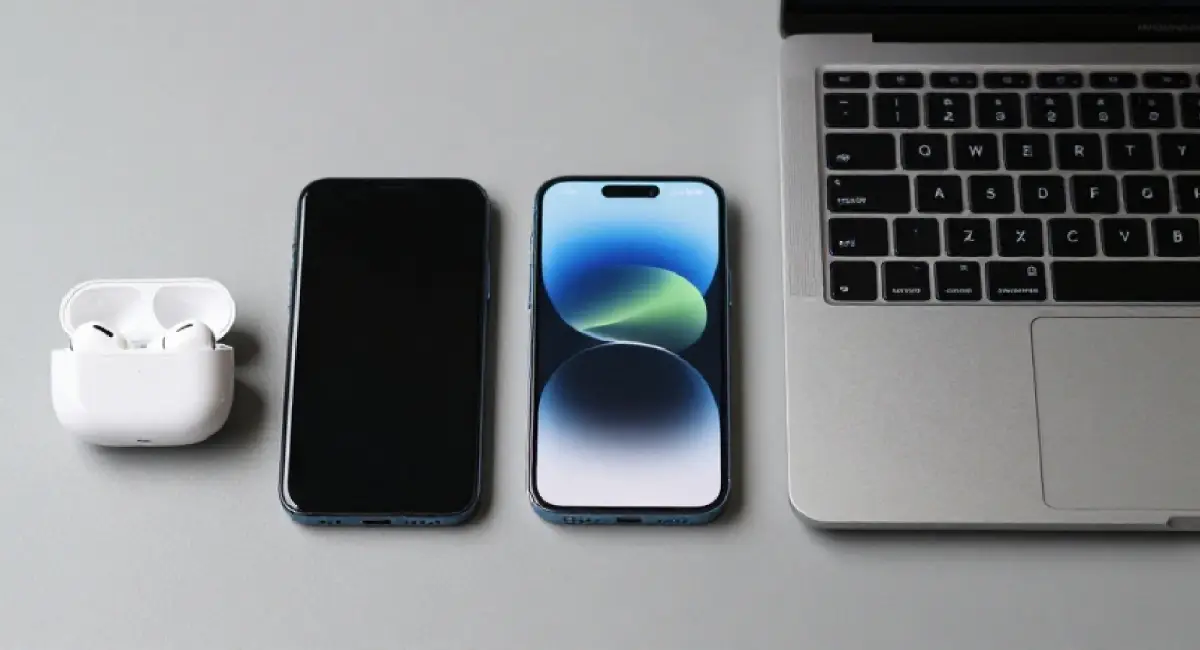
The decision framework works across all tech, but three categories deserve specific attention because they are where hype is most concentrated, and purchase regret is most common.
Buying a Smartphone Without Getting Pulled Into the Upgrade Cycle
The annual smartphone upgrade cycle is one of the most effective marketing constructs in consumer technology. A new model releases, coverage floods every channel, and last year’s phone suddenly feels outdated even though nothing about it changed overnight.
Real reasons to replace a phone are straightforward: the manufacturer has stopped providing security updates, hardware has failed, or the device genuinely cannot perform a task you regularly need. Manufactured reasons include: a slightly improved camera, a new design language, or a processor that benchmarks 15% faster on tests you will never run.
Mid-range phones from brands like Google, Samsung, and OnePlus now handle photography, video calls, navigation, and social media at a level that was flagship-exclusive three years ago. For most users, the difference between a mid-range and a flagship phone exists primarily in controlled comparison tests, not in daily life.
Choosing a Laptop Based on Workload, Not Branding
The MacBook versus Windows debate absorbs enormous amounts of energy that would be better spent evaluating actual workload requirements.
The questions that matter: Does your workload require sustained CPU performance over long periods, or short bursts? Do you work with applications that only run well on one platform? How much RAM do your typical tasks actually consume, not peak consume? Is your work environment predictable (desk, second screen) or variable (travel, outdoor light)?
A developer who works primarily in terminal and browser has very different requirements from a video editor handling 4K footage. Neither of those people should pick a laptop based on which brand has better advertising. Sustained thermal performance, RAM, and display quality for your actual working environment are the variables that determine satisfaction.
Wireless Audio: Where Hype Is Thickest and Value Is Most Skewed
No tech category spends more on lifestyle association and less on technical communication than premium audio. The presence of a celebrity on a product page tells you nothing about sound quality. The price of the carrying case tells you nothing about driver performance.
Evaluate wireless audio on these actual criteria: driver type and size, which affect tonal character and detail retrieval; codec support, because LDAC on Android or AAC on Apple devices determines whether Bluetooth audio reaches its potential; microphone quality for calls, which matters more than most buyers consider; and ANC effectiveness, which should be expressed in measurable decibels of noise reduction, not marketing language.
A well-reviewed pair of earbuds at half the price of a branded premium alternative will frequently outperform it on technical measures while underperforming it on brand recognition. Decide which one you are actually paying for.
When Waiting Is the Best Buying Decision
Buying on day one rarely produces the best outcome. Launch prices are at their peak. Firmware is at its least mature. Known issues have not yet surfaced. And in most categories, a successor or a price correction is somewhere on the horizon.
Patience is an underused part of any buying tech guide, because it is not exciting to write about. But it consistently produces better purchases.
How to Track Product Cycles Without Becoming Obsessed
You do not need to monitor the tech press daily to understand product cycles. A few specific resources do this work for you.
The MacRumors Buyer’s Guide tracks Apple product release history and signals when a purchase is well-timed or risky. Notebookcheck publishes laptop release calendars. For smartphones, GSMArena and dedicated brand communities typically publish reliable rumour timelines months in advance.
Most major product categories follow a predictable annual or biannual cycle. Knowing that a manufacturer typically updates a product line in September means buying in August is a risk worth acknowledging. The goal is not to wait indefinitely, but to avoid spending full price two weeks before a known upgrade.
Sales Events That Are Real vs. Artificial Urgency
Not all sales are equal, and some are not sales at all.
Genuine price reductions happen in predictable patterns: after a new generation releases and the previous model drops, during end-of-financial-year clearance, and in the weeks following major retail events when inventory normalises. These are worth acting on.
Artificial urgency looks different. Countdown timers that reset. “Only 3 left in stock” on a product with unlimited inventory. Flash sales on products that were the same price last week. Price history tools remove the guesswork entirely. CamelCamelCamel tracks Amazon price history and shows you whether today’s “deal” is genuinely lower than the product’s normal price. Browser extensions like Honey or Keepa perform a similar function across multiple retailers.
If the price history shows the product was cheaper three weeks ago, the sale is a display, not a discount.
Building Long-Term Confidence as a Tech Buyer
The goal of everything in this article is not to make one good purchase. It is to build a consistent buying habit that gets faster and more accurate over time.
The first time you follow this process, it will feel like an effort. By the third time, most of it will be automatic. You will already know which review sources you trust, which specs matter in the categories you buy, and roughly where product cycles sit.
Keeping a Personal Tech Purchase Log
Start a simple document or spreadsheet with one row per tech purchase. Record what you bought, why you bought it, what you paid, what worked well, what disappointed you, and whether you would buy it again.
This sounds unnecessary until you have 12 entries and can see patterns clearly. You might notice you consistently overspend on audio gear and consistently make good decisions on laptops. You might realise one particular brand has let you down twice in the same category. You might see that every time you bought based on a YouTube review within a week of launch, you regretted it.
Self-data from your own purchase history is more relevant to your future decisions than any buying guide written for a general audience.
When to Trust Recommendations From Your Network
A recommendation from someone whose opinion you respect carries genuine weight, but only under one condition: their use case matches yours.
When a colleague recommends a laptop, ask what they use it for, how long they have had it, what they dislike about it, and whether they have used alternatives. If their workload is completely different from yours, their experience is useful context but not a direct guide.
The social pressure to match someone else’s product choice, especially in visible categories like phones and earbuds, is real and worth naming. Buying a product to align with a peer group rather than to meet a personal need is a form of hype, just delivered through people instead of advertising.
Conclusion
Good tech purchases are not luck. They come from a clear, repeatable process: audit your actual needs, set a realistic budget range, source reviews critically, compare on verified benchmarks, check ownership feedback, and give yourself time before committing.
Knowing how to choose tech products wisely does not require deep technical knowledge. It requires asking the right questions in the right order and refusing to let manufactured urgency shortcut that process. Every time you follow these steps, the decision gets faster and more confident.
Bookmark this article and return to it the next time you are considering a purchase. Or share it with someone currently weighing a tech decision. A good framework, used consistently, is worth more than any single product recommendation.