


You open your laptop at a coffee shop, connect to the free Wi-Fi, and get on with your day. Simple. But in that moment, your internet traffic passes through a network you know nothing about, managed by people you have never met.
- What Is a VPN, and How Does It Actually Work?
- What Can a VPN Actually Protect You From?
- What a VPN Cannot Protect You From
- Should I Use a VPN? Real Scenarios Where It Helps — and Where It Does Not
- Free VPNs vs. Paid VPNs: Is the Price Difference Worth It?
- VPN Benefits and Risks: A Balanced Summary
- How Much Does a VPN Slow Down Your Internet?
- Is a VPN Worth It for Everyday Users? A Straightforward Answer
- Conclusion
This is the kind of situation that makes people ask: Is a VPN worth it for everyday users? The honest answer isn’t a simple yes or no. It depends on what you do online, where you connect from, and how much you care about who sees your data.
This article cuts through the marketing claims. No scare tactics, no product recommendations — just a clear look at what a VPN actually does, what it doesn’t, and whether it makes sense for how most people use the internet.
What Is a VPN, and How Does It Actually Work?
If you’re new to this topic, the concept of a VPN for beginners can feel unnecessarily complicated. It doesn’t have to be.
Think of your normal internet connection like sending a postcard. Anyone who handles it along the way — your postal carrier, a sorting facility, your neighbour — can technically read what’s written on it. A VPN is more like putting that postcard inside a sealed, opaque envelope before it leaves your hands.
Technically, a VPN (Virtual Private Network) creates an encrypted tunnel between your device and a server operated by the VPN company. All your internet traffic travels through that tunnel. To your internet service provider, your router, or anyone else on the same network, your activity looks like a stream of unreadable data going to a single destination.
What does this mean in practice? Three things:
- Your ISP cannot see which websites you visit, only that you are connected to a VPN server.
- Your real IP address is hidden from websites, replaced by the VPN server’s IP.
- Anyone monitoring the local network — say, on public Wi-Fi — cannot read your traffic.
That’s the core function. Everything else a VPN claims to offer either builds on this foundation or, in some cases, has little to do with it at all.
What Can a VPN Actually Protect You From?
A VPN provides real, meaningful protection in a few specific situations. Understanding these clearly is more useful than a vague promise of “online privacy.”
Here are the three areas where a VPN delivers genuine value:
1. Hiding your browsing activity from your ISP. Your internet service provider has a complete view of every domain you visit. In the United States, a 2017 rollback of FCC broadband privacy rules means ISPs are legally permitted to collect and sell anonymized browsing data to advertisers. Similar allowances exist in the UK and Australia. A VPN prevents your ISP from seeing your traffic — they can only see that you are connected to a VPN server.
2. Protecting data on public Wi-Fi. On an open network, your traffic can be observed by others on the same connection. A VPN encrypts that traffic before it leaves your device, making it unreadable to anyone intercepting it on the local network.
3. Masking your IP address from websites and trackers. Your IP address reveals your approximate location and can be used to build a partial profile of your browsing behaviour across sites. A VPN replaces it with the VPN server’s IP, adding a layer of separation.
Public Wi-Fi and the Risk of Snooping
Coffee shops, airport lounges, hotel lobbies — these are the environments where open Wi-Fi networks are most common, and where the risk of traffic interception is highest.
HTTPS encryption has reduced this risk considerably. When you visit a site using HTTPS (the padlock icon in your browser), the content of that connection is encrypted even without a VPN. However, HTTPS does not hide which domains you are visiting, and not every website or app uses it consistently.
A VPN adds a second layer: your traffic is encrypted at the device level, before it even reaches the router. For anyone who connects to public networks regularly, that extra protection is worth having.
ISP Tracking and Data Selling
Most people assume their home internet connection is private. It is not, by default.
Your ISP can log every domain you visit. In the US, UK, and Australia, laws permit ISPs to retain this data and, under certain conditions, share or monetize it. Your browsing history is, in effect, a product — unless you take steps to obscure it.
A VPN removes that visibility. Your ISP can see that data is flowing between your device and a VPN server, but nothing beyond that.
What a VPN Cannot Protect You From
This is the section most VPN marketing skips. A VPN is a specific tool with specific limits. Treating it as a complete privacy solution is where most people go wrong — and understanding the real VPN benefits and risks means being clear about both sides.
Here is what a VPN does not do:
- It does not protect you from malware, phishing attacks, or viruses. If you click a malicious link or download infected software, a VPN does nothing to stop it.
- It does not make you anonymous. The VPN provider can see your traffic. You are not invisible — you have simply moved your trust from your ISP to your VPN company.
- It does not stop websites from tracking you through cookies and session data.
- It does not prevent data breaches at the services you use.
Cookies, Fingerprinting, and Other Tracking Methods a VPN Ignores
Google, Meta, and the broader ad industry do not track you primarily through your IP address. They use persistent cookies, login sessions, and browser fingerprinting — a technique that identifies your device based on screen resolution, installed fonts, browser settings, and dozens of other signals.
A VPN does not touch any of this. You can be running a VPN on your laptop and still have your browsing activity fully tracked by Google as soon as you are logged into a Google account.
If reducing ad tracking is your main concern, a VPN is not the right tool. Browser-level privacy settings, ad blockers, or privacy-focused browsers like Firefox or Brave will do more for you in that specific area.
The VPN Provider Itself Becomes Your New Trust Problem
Switching to a VPN does not eliminate the need to trust someone with your data — it changes who you are trusting.
Your ISP is replaced by your VPN company. If that company keeps logs of your activity, operates under laws that require data disclosure, or has unclear ownership, you may not be significantly better off.
This is not a hypothetical concern. Hola VPN, a free service with tens of millions of users, was publicly exposed for routing user traffic through other users’ devices and selling that bandwidth to third parties — without making this clearly known to users. Several other free VPN apps have been found to contain malware or to transmit user data to servers in countries with few privacy protections.
The VPN company’s trustworthiness is not a minor detail. It is central to whether the tool actually works for you.
Should I Use a VPN? Real Scenarios Where It Helps — and Where It Does Not

The question “should I use a VPN?” does not have a universal answer. The right answer depends on your habits, your location, and what you are actually trying to protect. Here are six common situations with a clear verdict for each.
Scenario 1: Using Public Wi-Fi Regularly
Verdict: Yes, a VPN is worth it.
If you regularly connect to networks in cafes, airports, hotels, or co-working spaces, a VPN gives you a real, practical layer of protection. Travelers, remote workers, and students who move between networks frequently will get the most consistent value from a VPN subscription.
Scenario 2: Streaming and Accessing Region-Locked Content
Verdict: Useful, but results vary.
A VPN can make it appear that you are connecting from a different country, which sometimes unlocks content not available in your region. However, streaming platforms including Netflix, Disney+, and BBC iPlayer actively detect and block VPN IP addresses. Whether it works depends on the VPN provider and the specific server. Expect inconsistency, not a guaranteed solution.
Scenario 3: General Home Browsing
Verdict: Marginal benefit for most users.
On a private home network, the risk of someone intercepting your traffic locally is very low. HTTPS covers most of your web activity. The main benefit here is hiding your browsing history from your ISP — which matters if that concerns you, but is not a pressing risk for most people.
Scenario 4: Online Banking and Shopping
Verdict: Not essential, but not harmful.
Banks use strong TLS encryption on their own end, regardless of whether you are using a VPN. Your banking sessions are already encrypted at the application level. A VPN adds nothing significant here — unless you are banking from a public network, in which case it is a sensible precaution.
Scenario 5: Living Under Restrictive Internet Policies
Verdict: Highly valuable, but check local laws.
In countries where governments block websites, monitor internet traffic, or restrict access to information, a VPN can make a real difference. It is one of the few tools that can help users access the open internet under these conditions. That said, VPN use is restricted or illegal in some of these same countries, so the legal context matters before you act.
Scenario 6: Downloading Torrents or Using P2P Networks
Verdict: Meaningful protection for your IP address.
In a torrent swarm, your real IP address is visible to every other peer connected to the same file. A VPN replaces that with the VPN server’s IP address, reducing exposure. This applies to legal torrenting — open-source software, public domain media, and similar content — as much as anything else. A VPN does not change the legal status of what you download.
Free VPNs vs. Paid VPNs: Is the Price Difference Worth It?
Free VPNs are appealing for an obvious reason: no cost. But a VPN service costs real money to run — servers, bandwidth, infrastructure, and staff. If you are not paying for it, the service has to generate revenue another way.
Here is how free and paid VPNs typically compare across the factors that matter most:
Logging practices: Free VPNs are far less likely to have independent audits of their no-logs claims. Several have been shown to log user activity and share it with third parties. Paid VPNs from reputable providers are more likely to have their policies verified externally.
Speed and data limits: Many free VPNs cap your data at 500MB to 2GB per month, and throttle speeds to push users toward paid upgrades. For everyday browsing, this runs out quickly.
Server availability: Free tiers typically offer a small selection of servers, often in a limited number of countries. Paid providers offer hundreds or thousands of servers globally, which affects both speed and the ability to access region-specific content.
Business model transparency: Paid VPNs have a clear model — you pay, they provide a service. Free VPNs need a different income stream, and that stream is often your data.
Reputable paid VPNs on annual plans typically cost between $3 and $8 per month. For the level of trust and reliability they offer over a free alternative, that is a reasonable cost for users who actually need the protection.
Red Flags to Watch for in Any VPN — Free or Paid
Before you sign up for any VPN service, check these four things:
- No-logs policy with third-party verification: The provider should clearly state they do not log browsing activity, and ideally have had that claim audited by an independent security firm.
- Jurisdiction: VPN companies based in countries that are part of the Five Eyes intelligence alliance (US, UK, Canada, Australia, New Zealand) may be subject to data-sharing requests from governments. Some users prefer providers based outside this group.
- Clear ownership: Who actually owns the VPN brand? Some free VPN apps are owned by companies in countries with weak privacy regulations — ownership is worth checking.
- No known data incidents: Search the provider’s name alongside terms like “data breach,” “leak,” or “court order” before committing.
No single factor disqualifies a provider on its own, but these are the right questions to ask.
VPN Benefits and Risks: A Balanced Summary
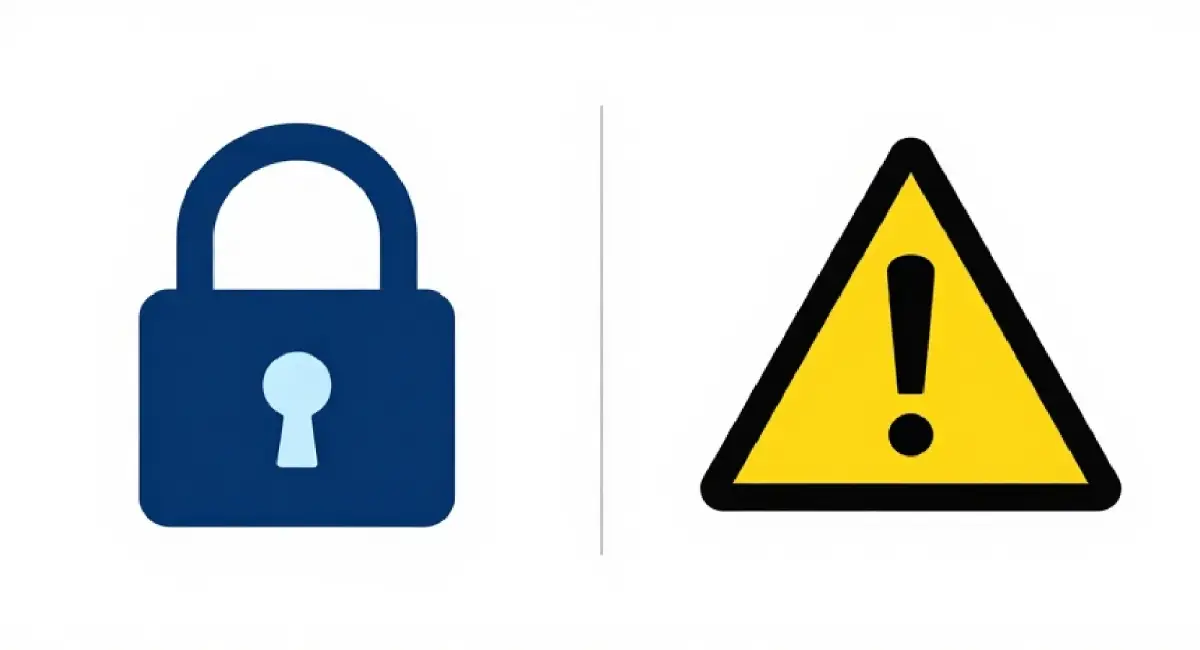
When you weigh up VPN benefits and risks honestly, the picture is more nuanced than most product pages will admit.
What a VPN genuinely offers:
- Privacy from your ISP: your browsing history is hidden from your internet provider.
- Safer connections on public Wi-Fi: encrypted traffic that is much harder for local observers to read.
- IP address masking: websites and some trackers see the VPN server’s IP, not yours.
- Access to geo-restricted content: useful in some cases, though not reliable across all platforms.
What a VPN does not offer:
- Protection from malware, phishing, or account breaches — these require different tools.
- True anonymity — your VPN provider can see your traffic, and you are still trackable through cookies and fingerprinting.
- A guarantee of no data collection — this depends entirely on the provider you choose.
- Consistent speed — all VPNs introduce some slowdown, varying by provider and server location.
The honest framing is this: a VPN is one layer of a broader privacy approach. It handles a specific set of problems well. For the problems it does not handle, you need other solutions.
How Much Does a VPN Slow Down Your Internet?
Speed reduction is one of the most common practical concerns about VPNs, and it is a fair one.
All VPNs slow your connection to some degree. Encryption takes processing power, and your traffic has to travel to a VPN server before reaching its destination — adding a step to every request. How much speed you lose depends on the provider’s infrastructure, how far the server is from your location, and which encryption protocol the VPN uses.
In broad terms, budget VPNs can reduce speeds by 10 to 30 percent, based on independent tests published by sources like PCMag and Tom’s Guide. Premium providers with well-maintained server networks often keep that reduction under 10 percent, and in some cases, the difference is barely measurable on fast home connections.
For most everyday tasks, this reduction is not noticeable in practice. Browsing, streaming HD video, video calls, and general app use all work normally at connection speeds that are 20 percent slower than your baseline. Where you are more likely to notice an impact is with large file downloads, online gaming with latency sensitivity, or if your base connection speed is already limited.
If speed is a priority, look for providers that support the WireGuard protocol — it is a modern, lightweight option that typically produces better speeds than older VPN protocols.
Is a VPN Worth It for Everyday Users? A Straightforward Answer
After going through all of this, the answer comes down to your specific habits.
A VPN is worth it if you regularly connect to public Wi-Fi networks and you want to protect your traffic from anyone monitoring those networks. It is also worth it if ISP data collection bothers you — particularly in countries where that data can be legally sold. If you travel internationally and want occasional access to content from your home country, a paid VPN gives you a reasonable tool for that, with the understanding that it does not always work.
A VPN is not particularly worth it if you do all your browsing from a private home network, already use HTTPS-only sites, and are not specifically concerned about ISP logging. The protection it adds in that scenario is real but limited, and you could argue that the money is better spent elsewhere.
The one consistent recommendation is this: if you are going to use a VPN, use a paid one from a provider with a verified no-logs policy. A free VPN that monetizes your data is not a privacy tool — it is a trade in a different direction.
A VPN is not a substitute for strong passwords, two-factor authentication, or keeping your software updated. It is one piece of a larger picture. Used correctly, it is a practical and affordable tool. Treated as a complete solution, it will let you down.
Conclusion
A VPN is a useful tool with a clear, specific job. It protects your traffic from being read on public networks, hides your browsing activity from your ISP, and masks your IP address from websites. Those are real benefits — but they cover a defined set of risks, not all of them.
Whether a VPN is worth it for everyday users depends entirely on the situations you encounter regularly and the threats you are actually trying to reduce. If your habits match the scenarios where VPNs genuinely help, a paid, audited provider is an affordable addition to your setup. If they do not, your privacy budget might be better spent on other tools.
For a broader look at how to protect your personal data online in 2026, take a look at our full guide on that topic — it covers VPNs as part of a wider set of practical steps that work together to keep your information under your control.