


What Data Do Apps Really Collect About You?
You downloaded an app to track your steps. Another way to order food. One more to check the weather. Each time, you tapped “I agree” and moved on with your life.
- The Basics — What Types of Data Do Apps Actually Gather?
- App Tracking Data — How Apps Follow You Across the Internet
- What Advertising IDs Are and Why They Matter
- Third-Party SDKs — The Hidden Passengers Inside Every App
- What Data Do Social Media Apps Collect About You Specifically?
- TikTok’s Data Collection — What Makes It Different?
- Meta’s Off-Facebook Activity — Tracking You Even When You’re Logged Out
- Privacy Concerns Apps Raise That Most Users Never Think About
- Does Your App Really Need Microphone Access?
- Contact List Access — Why Apps Want Your Friends’ Data Too
- Health and Fitness Apps — A Special Category of Sensitive Data
- What Period and Fertility Apps Do With Your Most Personal Data
- Mental Health Apps and the Limits of Their Privacy Promises
- How to Find Out What Data an App Is Collecting From You
- Using Apple’s App Privacy Labels and Google’s Data Safety Section
- How to Run a Permission Audit on Your Phone Right Now
- What Happens to Your Data After Apps Collect It?
- The Data Broker Industry — Who Buys What Apps Sell
- How Long Do Apps Keep Your Data — and What Happens When They’re Sold
- What Laws Exist to Protect You From Excessive App Data Collection?
- Conclusion
But what exactly did you agree to?
Understanding what data apps collect about you is one of the most important things you can do for your privacy in 2026. Because the answer is not just your name and email. It is your location history, your contacts, your health habits, your financial behavior, and in some cases, details you never consciously shared with anyone.
This article breaks it all down in plain terms, with real examples, so you can see exactly what is happening behind the screen — and what you can do about it.
The Basics — What Types of Data Do Apps Actually Gather?
Think of it this way. Walking into a physical store, you expect someone at the checkout to know what you bought. You probably do not expect a silent employee following you through every aisle, noting which products you looked at, how long you stood in front of each shelf, and which items you picked up but put back down.
That is closer to what apps do.
The data they collect falls into four broad categories:
- Identity data — your name, email address, phone number, and date of birth
- Device data — your phone model, operating system, screen resolution, and unique device identifiers
- Behavioral data — which features you tap, how long you spend on each screen, and what you scroll past
- Location data — where you are right now, where you have been, and in some cases, where you live and work, based on patterns
Most apps collect from all four categories simultaneously, often from the moment you open them for the first time.
Data You Give Willingly When You Sign Up
When you create an account, you hand over the obvious things. Your name. Your email address. Your date of birth. Sometimes your phone number, a profile photo, or payment details.
This feels like a fair exchange — you give basic information, you get access to the service. But this data rarely stays in one place or serves one purpose. It gets used to build advertising profiles, matched against data from other platforms, and in many cases, sold to third-party data brokers who compile it into detailed records about who you are.
The information you typed in good faith at signup can end up driving targeted ads for months or years after you stopped using the app entirely.
Data Apps Collect Without Asking You Directly
Beyond what you type in, apps collect a second layer of data passively — without prompting you at all.
This includes your IP address, which reveals your approximate location and internet provider. It includes your device fingerprint, a combination of technical details about your phone that together make it uniquely identifiable even if you reset your advertising ID. Some apps have been caught reading battery level, screen brightness, and the contents of your clipboard.
That last one is not hypothetical. When Apple introduced clipboard access notifications in iOS 14, users discovered that dozens of popular apps — including TikTok and LinkedIn — were silently reading their clipboard every time they opened the app, even when no paste action was triggered. The apps had no obvious reason to need this access. They took it anyway.
App Tracking Data — How Apps Follow You Across the Internet
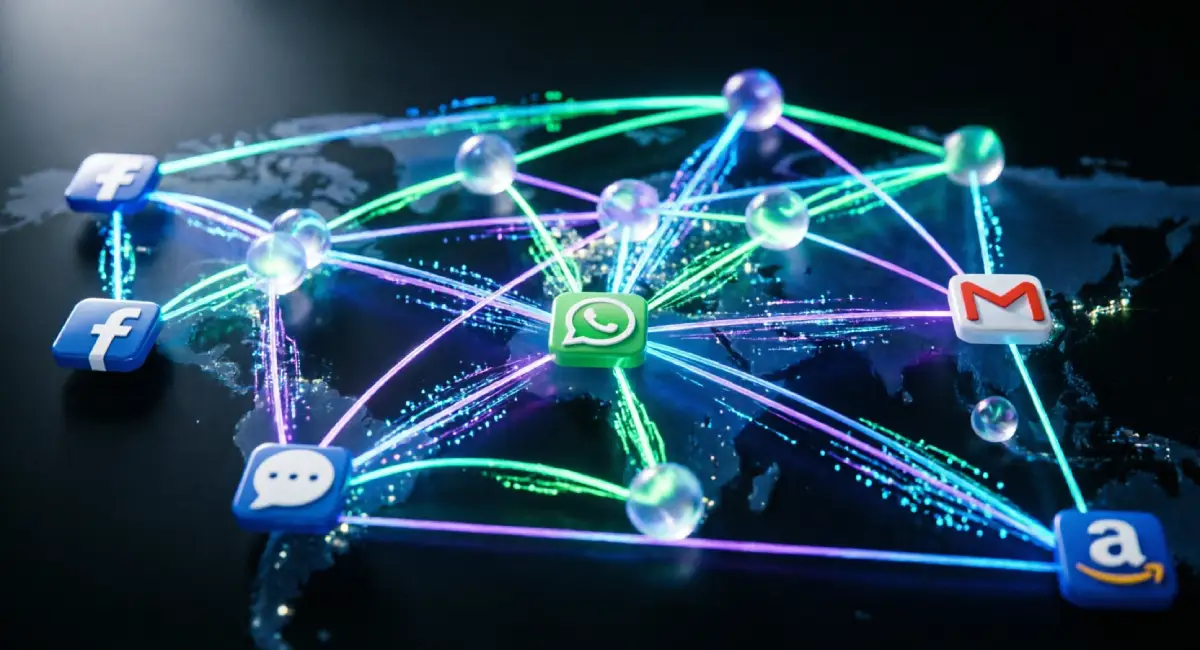
Opening a single app does not keep your data inside that app. What most people do not know is that a large number of apps contain multiple tracking systems running alongside the main service — and these trackers follow your activity far beyond the app itself.
This is how a shoe ad appears on your news feed shortly after you searched for running shoes in a completely different app. The two apps do not need to talk directly to each other. They both report to the same advertising networks, and those networks connect the dots.
What Advertising IDs Are and Why They Matter
Every smartphone has an advertising ID built into the operating system. On an Apple device,s it is called the IDFA (Identifier for Advertisers). On Android devices, es it is called the GAID (Google Advertising ID).
Think of it as a name tag your phone wears in the digital advertising world. It is not tied to your legal name, but it is tied to your device. Every app that reads this ID can link your activity inside their app to your activity everywhere else that ID has been seen.
Over time, a surprisingly complete picture of your habits, interests, income range, health concerns, and daily movements can be built from this one identifier alone.
You can reset your advertising ID at any time through your phone settings, and on iOS, you can turn off tracking requests entirely. This does not stop all data collection, but it breaks the continuity of the profile being built about you.
Third-Party SDKs — The Hidden Passengers Inside Every App
When a developer builds an app, they rarely build everything from scratch. They use pre-built software packages called SDKs (Software Development Kits) to add features quickly — analytics, payment processing, push notifications, or advertising.
The problem is that each SDK brings its own data collection along with it.
A simple flashlight app, for example, might contain the Facebook Audience Network SDK, Google Firebase, and a tool called AppsFlyer. None of these belongs to the flashlight company. But each one is running inside the app, collecting data about your device and behavior, and reporting back to its own servers.
The app you see is just the surface. Underneath, there can be a dozen companies you have never heard of, all quietly gathering information every time you use it.
What Data Do Social Media Apps Collect About You Specifically?
Social media apps are in a category of their own when it comes to personal data collection. Their entire business model depends on knowing as much about you as possible, because that knowledge is what they sell to advertisers.
Beyond your posts, likes, and follows, platforms like Meta, TikTok, Instagram, and Snapchat collect behavioral prediction data, inferred characteristics (things they conclude about you without you stating them), and in some cases, biometric identifiers like facial geometry from photos and videos you upload.
Meta has also built what researchers call “shadow profiles” — data records on people who have never created a Facebook account, assembled from information uploaded by other users, such as contact lists.
TikTok’s Data Collection — What Makes It Different?
TikTok’s data practices have received more public and regulatory scrutiny than almost any other app in recent years, and for documented reasons.
Security researchers found that earlier versions of TikTok’s iOS app were reading clipboard contents with unusual frequency. The app’s privacy policy acknowledges collecting biometric identifiers,s including “faceprints and voiceprints” from user content. The FTC has raised concerns about TikTok’s data handling, and multiple governments have restricted its use on official devices.
What sets TikTok apart is not just the volume of data it collects, but the combination of behavioral profiling (the algorithm is extraordinarily good at predicting what you will watch next) with data practices that have, at times, been less transparent than those of its Western counterparts.
Meta’s Off-Facebook Activity — Tracking You Even When You’re Logged Out
You do not need to be actively using Facebook or Instagram for Meta to collect data about you.
Through a system called Off-Facebook Activity, Meta receives information from thousands of third-party websites and apps that use its tracking tools — the Facebook Pixel, the Meta SDK, and similar technologies. When you visit a news site, an online shop, or a health information page, if that site uses Meta’s tools, your visit is reported back to Facebook and tied to your profile.
You can view and clear this data by going to Facebook’s Settings, then “Your Facebook Information,” and selecting “Off-Facebook Activity.” What you see there is likely more extensive than you expected. Clearing it does not stop future collection, but it disconnects past data from your account.
Privacy Concerns Apps Raise That Most Users Never Think About
Beyond tracking and advertising, there are data collection practices that sit in a different category entirely. These are not just about seeing relevant ads. They involve apps accessing parts of your phone that feel genuinely personal — your voice, your camera, the people you know.
Does Your App Really Need Microphone Access?
Many apps request microphone access for reasons that seem reasonable at face value. A food delivery app asks for it so you can call the driver. A shopping app wants it for a voice search feature you have used once.
But microphone access, once granted, remains active unless you revoke it manually.
There is a persistent belief among users that apps listen to private conversations to serve targeted ads. The documented reality is more nuanced. While some cases of unexpected audio access have been reported, the more common explanation is that behavioral targeting has become so precise that it can predict your interests without needing to literally listen. That said, the permissions you grant still create a real risk.
To audit microphone access on iPhone, go to Settings, then Privacy and Security, then Microphone. On Android, go to Settings, then Privacy, then Permission Manager, then Microphone. Any app that does not clearly need this access should have it removed.
Contact List Access — Why Apps Want Your Friends’ Data Too
When you grant an app access to your contacts, you are not just sharing your own data. You are handing over the personal information of every person in your address book — people who never downloaded the app, never agreed to its terms, and have no idea their name, phone number, and email address are now sitting on a company’s servers.
Apps use contact data to build social graphs — maps of who knows who. This helps platforms identify your likely interests, target you with ads based on your connections’ behavior, and find new users to recruit.
WhatsApp’s contact-syncing process is a well-known example. When you sign up, the app uploads your entire contact list to Meta’s servers to identify which of your contacts are already on the platform. Your contacts receive no notification that this has happened.
Health and Fitness Apps — A Special Category of Sensitive Data
Health data is among the most sensitive information anyone holds. It can affect your insurance, your employment, your relationships, and in some legal contexts, your legal situation.
What many users do not know is that health apps are not covered by HIPAA in most cases. HIPAA (the Health Insurance Portability and Accountability Act) applies to medical providers and insurers — not to the app you use to log your calories or track your cycle. That means a health app can legally collect and sell your data in ways your doctor cannot.
What Period and Fertility Apps Do With Your Most Personal Data
Apps like Flo and Clue collect highly intimate data — menstrual cycle length, sexual activity, pregnancy attempts, symptoms, and mood. Users share this information freely because the apps are useful. But the question of where that data goes deserves serious attention.
In 2021, the FTC settled with Flo Health after finding that the company had shared users’ health data with Facebook and Google, despite promising to keep it private. The data included fertility status and period information — details users had no idea were being transmitted to advertising platforms.
After the Supreme Court’s decision in Dobbs v. Jackson in 2022 removed federal abortion protections in the United States, privacy advocates raised urgent concerns about period-tracking data being subpoenaed in states with abortion restrictions. Several apps updated their privacy policies in response, but the underlying legal risk has not disappeared.
Mental Health Apps and the Limits of Their Privacy Promises
Therapy and mental health apps ask users to share things they might not tell their closest friends. That makes their data practices especially important to scrutinize.
BetterHelp, one of the largest mental health platforms, agreed to pay $7.8 million in a 2023 FTC settlement after the agency found it had disclosed users’ mental health data to Facebook and Snapchat for advertising purposes. Talkspace has faced similar questions about how session data is handled.
Before trusting any mental health app with personal information, check its privacy policy for three things: whether it sells or shares your data with third parties, whether it is covered by HIPAA, and whether it offers a data deletion option. If the policy is vague on these points, treat that as your answer.
How to Find Out What Data an App Is Collecting From You
Knowing that apps collect data is one thing. Being able to see what a specific app is doing is more useful. There are practical tools available on both major platforms that let you investigate before you install — and after.
Using Apple’s App Privacy Labels and Google’s Data Safety Section
On the Apple App Store, every app is required to display a privacy label — sometimes called a “nutrition label for your data.” You can find it on any app’s listing page under “App Privacy.”
The label distinguishes between two categories. “Data used to track you” refers to information shared with third parties for advertising or shared across apps owned by different companies. “Data linked to you” refers to information the app connects to your identity. This distinction matters because some data collection is internal and relatively low-risk, while cross-app tracking is a much larger concern.
On Google Play, the equivalent is the “Data safety” section on each app’s listing page. It shows what data the app collects, whether it is shared with third parties, and whether you can request deletion.
An important caveat: both systems are self-reported by developers. There is no real-time verification. Research by privacy organizations has found discrepancies between what apps declare and what they actually do, particularly on the Google Play side.
For Android users, the tool Exodus Privacy (available at exodus-privacy.eu.org) scans apps and displays every tracker SDK embedded inside them, including ones the developer never disclosed in the Play Store listing.
How to Run a Permission Audit on Your Phone Right Now
This takes about five minutes and gives you a clear view of which apps have access to your most sensitive data.
On iPhone: Go to Settings, then Privacy and Security. From there, you can check each permission category — Location, Contacts, Camera, Microphone, Health, and others — and see exactly which apps have access. For location, you can also check whether apps are tracking your location “Always,” “While Using,” or “Never,” and downgrade any that seem excessive.
On Android: Go to Settings, then Privacy, then Permission Manager. Select any category to see which apps hold that permission. You can revoke access directly from this screen.
A good rule of thumb: if you cannot immediately think of a reason why an app needs a particular permission, remove it. Most apps function perfectly well with fewer permissions than they request.
What Happens to Your Data After Apps Collect It?

Collection is just the beginning. The data that apps gather does not sit quietly in one place. It moves, gets combined with other data, gets sold, and in some cases gets handed to governments. The risk compounds the longer your data exists in the system.
The Data Broker Industry — Who Buys What Apps Sell
Data brokers are companies whose entire business is buying, compiling, and reselling personal information. They are not household names, but they hold detailed files on hundreds of millions of people.
A typical data broker profile might contain your home address, estimated income range, health interests inferred from app usage, political leanings based on donation history and browsing behavior, purchase history, and location patterns from the past several months. All of this is assembled from data that came, in part, from apps you use every day.
These profiles are sold to advertisers, employers, insurers, landlords, law enforcement agencies, and political campaigns. The individual pieces of data seem harmless in isolation. Combined, they are a detailed portrait of your life.
How Long Do Apps Keep Your Data — and What Happens When They’re Sold
Most apps retain user data well beyond the point at which a user deletes their account. Retention periods of two to five years are common, and some platforms hold data indefinitely unless a specific deletion request is submitted.
The situation becomes more complicated when a company is acquired. When a startup is bought by a larger company, all of its user data transfers to the new owner. The original privacy policy may change, and users rarely receive meaningful notice.
Consider what happened when Yahoo was acquired by Verizon, or when Fitbit was acquired by Google. Millions of users had their data — including years of health metrics and location history — move into a new company’s ecosystem under new terms. Deleting the original app at that point does not retrieve data that has already been transferred.
What Laws Exist to Protect You From Excessive App Data Collection?
Several major privacy laws now govern how apps can collect and use your data, depending on where you live. Understanding them helps you know what rights you actually have — and where those rights run out.
What Your Rights Are Under GDPR and CCPA
The GDPR (General Data Protection Regulation), which applies across the European Union, gives users the right to access all data a company holds about them, request that it be deleted (the “right to be forgotten”), and opt out of certain types of processing.
The CCPA (California Consumer Privacy Act) gives California residents similar rights, including the right to know what data is collected, the right to delete it, and the right to opt out of the sale of personal information.
In practice, you exercise these rights by submitting a formal request to the company, usually through a form in the app’s settings, a link labeled “Do Not Sell My Personal Information,” or a privacy contact email. Companies covered by these laws are required to respond within a defined timeframe — 30 days under CCPA, one month under GDPR.
Canada’s PIPEDA and Australia’s Privacy Act offer similar frameworks, though the specific rights and enforcement mechanisms differ.
Why Legal Protections Still Leave Significant Gaps
These laws represent real progress. But they have structural limits that reduce their practical effect.
Every one of them is built on a consent model. Companies are generally allowed to collect data as long as they disclose it — usually in a privacy policy that runs to thousands of words and is read by almost nobody. Clicking “I agree” counts as consent, even if the user had no real understanding of what they were agreeing to.
Enforcement is also slow and resource-intensive. Regulators bring cases against the most visible offenders, but the data broker ecosystem and smaller app developers operate largely without scrutiny. By the time a fine is issued, the data has already been collected, shared, and used.
This is why knowing your legal rights matters, but cannot be your only line of defense.
Conclusion
The picture of what data apps collect about you is far more detailed than most people realize. It is not just your name or email. It is your location history, your health data, your contact list, the websites you visit, the things you almost bought, and the patterns of your daily life.
Each piece of data seems small. Together, they form something that a company — or a government, or a data broker you have never heard of — can use to draw conclusions about who you are, what you believe, and what you might do next.
Awareness is where this starts to change. Once you understand what is being collected and how, you can make deliberate choices about which apps you trust, which permissions you grant, and when it is worth trading data for convenience.
The next step is putting that awareness into action. For a full guide on protecting your personal data across every part of your digital life, read our parent guide