


Most people don’t think about online privacy until something goes wrong. A strange charge on a bank statement. An email from a service they never signed up for. A password reset they didn’t request.
- Why Your Personal Data Is More Vulnerable Than Ever in 2026
- Start With the Basics — Online Privacy Tips Everyone Should Know
- Protect Personal Data Online in 2026 With These Browser and Device Settings
- Data Protection Basics — Securing Your Internet Connection
- How to Manage What You Share on Social Media and Apps
- Follow This Internet Safety Guide to Control Your Digital Footprint
- Protect Against Phishing, Scams, and Social Engineering in 2026
- Email, Messaging, and Communication Privacy
- Advanced Steps for Users Who Want Stronger Privacy
- Building Long-Term Privacy Habits That Actually Stick
- Final Thoughts: Small Steps Add Up to Real Protection
The reality is that your personal data is collected, shared, and sold every day—often without your knowledge. In 2026, the scale of that collection has reached a point where staying private requires deliberate action, not just good intentions.
This guide shows you exactly how to protect your personal data online in 2026, without needing a technical background. Each section gives you clear, specific steps you can act on today, whether you’re starting from scratch or tightening up existing habits.
Why Your Personal Data Is More Vulnerable Than Ever in 2026
The internet has always collected data. What has changed is the volume, sophistication, and reach of that collection.
AI-powered tracking tools now build detailed profiles of your behaviour across dozens of websites in real time—without you clicking a single ad. Data brokers, companies whose entire business model is collecting and reselling personal information, now hold records on hundreds of millions of people. Third-party app permissions, often accepted without reading, grant access to contacts, location, and camera functions that have nothing to do with what the app actually does.
The numbers are significant. According to the Identity Theft Resource Centre, data breaches in the United States alone exposed hundreds of millions of records in recent years, and the trend has not slowed. For the average internet user, that is not a distant statistic. It means real risk to real accounts.
Understanding what is at stake is the first step toward doing something about it.
What Counts as Personal Data Today
Personal data is far broader than most people assume. Yes, it includes obvious things like your name, email address, and phone number. But it also covers your IP address, which can reveal your rough location and internet provider. It includes your location history, browsing behaviour, search queries, purchase history, and even biometric data, such as fingerprints or facial recognition patterns, if you use those features on your phone.
Much of this is collected passively. You don’t need to fill out a form. Simply visiting a website, using an app, or connecting to a network can generate data points that get stored, analysed, and sometimes sold.
Who Collects Your Data and Why
The list of parties collecting your data is longer than most people expect.
Social media platforms track what you view, how long you pause on certain posts, and who you interact with. Advertisers use that data to build targeting profiles. Data brokers aggregate public records, social media activity, and purchase data to create detailed dossiers that they sell to third parties. Mobile apps frequently request permissions that far exceed what they need to function. Internet service providers can log your browsing activity at the network level.
The motivation is almost always commercial. Data is used to sell advertising, to price products and services, or to resell to other companies. Knowing this helps you make smarter choices about what you share and with whom.
Start With the Basics — Online Privacy Tips Everyone Should Know
Before exploring more advanced steps, it is worth making sure the foundations are solid. These online privacy tips apply to every internet user, regardless of how tech-savvy you are. Getting these right will close the most common vulnerabilities most people leave open.
Think of this as a starting checklist before anything else:
- Use a unique password for every account
- Turn on two-factor authentication wherever it is available
- Keep your devices and apps updated
- Be careful about what you share in online forms and profiles
The next two sections cover the first two items in detail, because they matter the most.
Use Strong, Unique Passwords for Every Account
Reusing passwords is one of the most common and most dangerous habits online. When one service gets breached and your credentials are exposed, attackers immediately try those same details on other sites. This is called credential stuffing, and it works far more often than it should.
A strong password is long (at least 16 characters), random, and does not contain real words or predictable patterns like birthdays or pet names. The problem is that strong passwords are hard to remember, especially if you have dozens of accounts.
That is where password managers help. Tools like Bitwarden (free and open source) or 1Password generate and store complex passwords for you, so you only need to remember one master password. Using either of these removes the temptation to reuse simple passwords across accounts.
Turn On Two-Factor Authentication Everywhere You Can
Two-factor authentication (2FA) means that even if someone gets hold of your password, they still cannot get into your account without a second code that only you can access.
The most common form is an SMS code sent to your phone. It works, but it has weaknesses. SIM-swapping attacks allow criminals to redirect your phone number to a device they control. Authenticator apps like Google Authenticator or Authy are significantly more secure because the codes are generated on your device rather than sent over a network.
Enable 2FA on any account that holds sensitive information: email, banking, social media, and cloud storage are the priority. Most platforms offer it in their security settings, and setup usually takes under five minutes.
Protect Personal Data Online in 2026 With These Browser and Device Settings
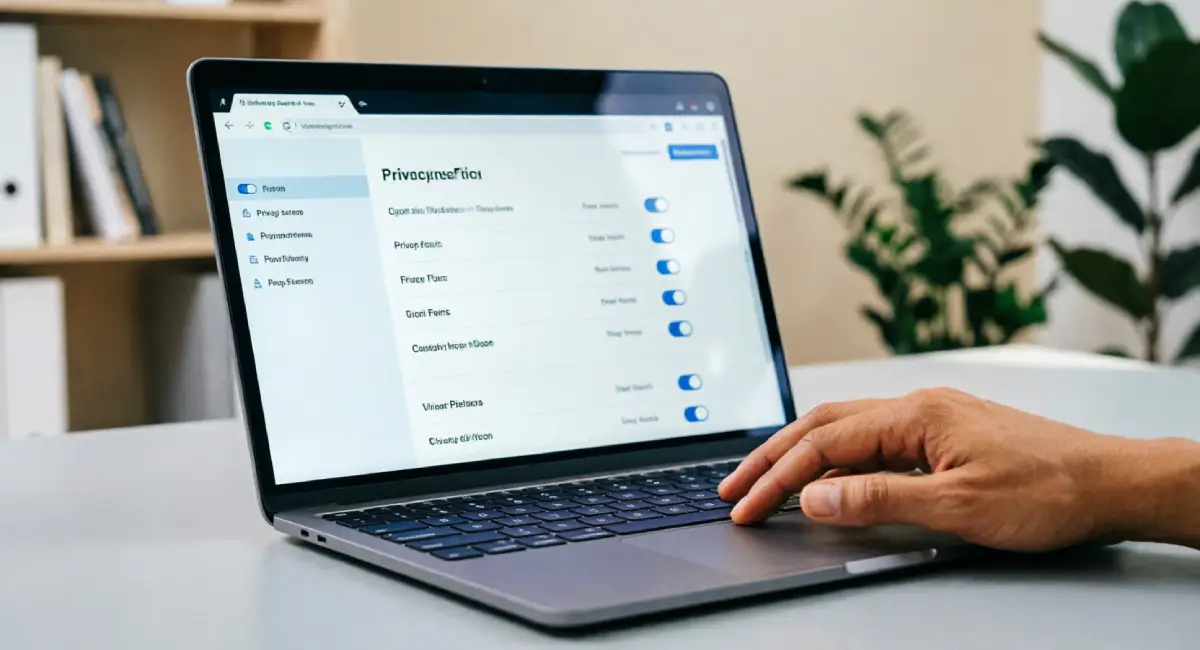
A significant portion of data collection happens through default settings that most people never look at. Browsers and mobile devices come configured for convenience, not privacy. Changing a few key settings makes a real difference with minimal effort.
Browser Settings That Stop Passive Tracking
Start with third-party cookies. These are small files placed by advertisers and trackers on websites you visit, allowing them to follow you across the web. Most modern browsers let you block them entirely in the privacy settings, and doing so will not break most websites.
Browser fingerprinting is harder to block but worth knowing about. Websites can identify your browser based on a combination of factors, including screen size, installed fonts, and system language, even without cookies. Firefox and Brave both include built-in fingerprinting protection.
Private or incognito mode is useful but limited. It prevents your browser from saving your history locally, but it does not hide your activity from your internet provider or the websites you visit.
For stronger privacy, consider switching to Firefox or Brave as your primary browser. Both offer significantly better default protections than most alternatives.
Mobile Device Permissions You Should Review Right Now
Open your phone settings and go to the app permissions section. You may be surprised by what you find.
On both Android and iOS, you can see exactly which apps have access to your location, microphone, camera, and contacts. A good rule of thumb: if an app does not clearly need a permission to function, revoke it.
A practical example: a flashlight app has no legitimate reason to access your contacts or location. If it requests those permissions, that is a red flag worth acting on.
Set location access to “while using the app” rather than “always” for any app that does not genuinely need constant location data. Review these permissions every few months, especially after installing new apps.
Data Protection Basics — Securing Your Internet Connection
Your internet connection itself can be a point of vulnerability. Understanding data protection basics at the network level helps you avoid situations where your information can be intercepted while in transit.
Why Public Wi-Fi Is a Privacy Risk and What to Do About It
When you connect to a public Wi-Fi network, such as one in a cafe, airport, or hotel, your traffic passes through a shared network that other users can access. In certain situations, someone on that same network can intercept unencrypted data passing between your device and the websites you visit. This is broadly known as a man-in-the-middle attack.
Three practical rules for public Wi-Fi:
- Avoid logging into banking, email, or other sensitive accounts when connected to a public network
- Only use websites that begin with HTTPS, which indicates that the connection between your browser and the site is encrypted.
- Consider using a VPN (discussed in detail in a later section) when you must use public Wi-Fi for sensitive tasks.
How to Make Your Home Network More Private
Your home network deserves the same attention. Start with your router.
Most routers come with default administrator usernames and passwords that are widely known and easy to look up. Change these immediately. Also, update your Wi-Fi password to something long and unique.
Check whether your router supports WPA3 encryption, the current recommended standard for Wi-Fi security. If it does, make sure it is enabled in your router settings. If your router only supports older standards and cannot be updated, it may be worth replacing.
Keep your router’s firmware updated. Manufacturers release updates that patch security vulnerabilities, and many routers can be set to update automatically.
If you have smart home devices, such as speakers, cameras, or thermostats, consider placing them on a separate guest network so they cannot interact with devices that hold sensitive data.
How to Manage What You Share on Social Media and Apps
Social media represents one of the largest areas of voluntary data exposure. Unlike passive tracking, here you are actively providing information. The challenge is that most platforms are designed to encourage sharing, and the privacy controls are often buried.
Social Media Privacy Settings Worth Changing Today
Most major platforms allow you to control who can see your posts, who can search for you by name or phone number, and whether your data is used to show you targeted advertising. These settings are rarely switched to their most private option by default.
Check the following on each platform you use:
- Who can see your profile, posts, and friend or follower lists
- Whether your profile appears in search engine results
- Whether the platform uses your activity to serve targeted ads
- Which third-party apps have access to your account
Make a habit of reviewing these settings every three to four months. Platforms update their interfaces and policies regularly, and settings can reset or change after app updates.
The Hidden Risk of Logging In With Social Accounts
Clicking “Log in with Google” or “Log in with Facebook” on a third-party site might feel like a convenient shortcut. It carries a real cost.
When you use social login, you grant the third-party site access to certain information from your social media account, which could include your name, email, profile picture, and sometimes more, depending on what permissions you accept. You are also creating a connection between your social account and another service, which can persist long after you stop using it.
Create standalone accounts where possible. For services where you have used social login, visit your Google or Facebook account settings and look for the section that lists connected apps. Remove any you no longer use or do not recognise.
Follow This Internet Safety Guide to Control Your Digital Footprint
Your digital footprint is the sum of everything recorded about you online, from public social media posts to data broker profiles. This internet safety guide focuses on two things: reducing the data already out there and slowing the collection of new data going forward.
How to Find and Remove Your Data From Data Broker Sites
Data brokers collect publicly available information from sources like voter records, property records, social media, and commercial databases. They compile this into profiles and sell them to businesses, advertisers, and sometimes individuals.
If you live in the European Union, GDPR gives you the right to request that your data be deleted. California residents have similar rights under the CCPA. Canada’s PIPEDA and Australia’s Privacy Act provide comparable protections. Even if you are outside these regions, many data broker sites accept removal requests voluntarily.
Start by searching your name on sites like Spokeo, BeenVerified, or Whitepages to see what information is publicly listed. Each site typically has an opt-out page where you can submit a removal request. The process is tedious but free. There are also free tools like Privacy Bee’s opt-out guide that list removal steps for the largest data broker sites.
How to Minimise the Data You Leave Behind Online
Small habits compound over time. A few worth adopting:
- Use a secondary email address for newsletters, app sign-ups, and any service you do not fully trust
- Use a privacy-focused search engine like DuckDuckGo or Brave Search instead of services that log your queries
- Clear your browser cookies and cache periodically, or use a browser extension that does this automatically
- When completing online profiles or forms, fill in only the required fields and skip optional ones
- Avoid linking accounts across platforms when you can avoid it
None of these steps requires any technical skill. They simply require a habit of pausing before you share.
Protect Against Phishing, Scams, and Social Engineering in 2026

Not all data theft happens quietly in the background. A significant portion is the result of people being tricked into handing over their information directly. In 2026, these attacks have become harder to detect because AI tools can generate convincing messages, mimic real voices, and clone legitimate websites with speed and accuracy.
How to Spot a Phishing Email or Message
Phishing messages are designed to create panic and prompt quick action. Recognising their patterns is the most reliable defence.
Watch for these signals:
- A strong sense of urgency: “Your account will be closed in 24 hours”
- A sender address that looks close to a real brand but does not match exactly (e.g., support@paypa1.com instead of paypal.com)
- Links that do not match the displayed text when you hover over them
- Requests for personal information, passwords, or payment details via message
- Generic greetings like “Dear Customer” from services that would know your name
One important update for 2026: grammar and spelling errors are no longer reliable signs of a fake message. AI-generated phishing emails can be grammatically perfect and persuasive. Rely on the structural signals above instead.
What to Do If You Think You Have Been Targeted
If you receive a message you suspect is a phishing attempt, here is what to do:
- Do not click any links or download any attachments in the message
- Do not reply, even to tell them you know it is fake
- Report the message using your email or messaging platform’s built-in reporting tool
- If the message claims to be from a real company, go to that company’s official website directly, without using any link in the message, and contact them from there.
- If you already clicked a link, change your passwords for any accounts that might be affected and check recent account activity for anything unusual.
- Enable 2FA if you have not already done so on the affected accounts
Stay calm. These situations are manageable when you act methodically rather than quickly.
Email, Messaging, and Communication Privacy
Most people don’t think of their email or messages as vulnerable, but everyday communication is one of the more significant areas of digital exposure. Standard email is not encrypted by default, and many messaging apps protect less than their marketing suggests.
Choosing a More Private Email Provider
When you send an email through a standard provider, that email may pass through multiple servers before it reaches the recipient. Without end-to-end encryption, the content can theoretically be accessed at several points along the way.
End-to-end encryption means that the message is encrypted on your device and can only be decrypted by the person receiving it. No one in between, including the email provider, can read it.
Providers like ProtonMail and Tuta (formerly Tutanota) are built with end-to-end encryption as a default. The trade-off is that they work best when both sender and recipient use the same provider or compatible encryption. For general use, they are not difficult to set up and offer free tiers worth trying.
If switching email providers feels like too much, at minimum, make sure your current provider uses two-factor authentication and review what permissions any connected apps have.
Encrypted Messaging Apps — What They Protect and What They Do Not
Signal is widely regarded as the gold standard for private messaging. It uses end-to-end encryption for all messages and calls, stores minimal metadata, and its code is open source, meaning it can be independently reviewed.
WhatsApp also uses end-to-end encryption for message content, but it collects significantly more metadata, including who you message, when, and how often. That metadata belongs to Meta and is used commercially. iMessage provides encryption between Apple devices, but stores message backups in iCloud unless you specifically disable that.
What no encrypted messaging app fully hides: who you are communicating with, when, and how often. That information, the metadata, is often as revealing as the message content itself. Signal collects the least of any mainstream option.
Advanced Steps for Users Who Want Stronger Privacy
The previous sections cover what most people need. If you want to go further, these steps will significantly reduce your exposure, though they require a bit more effort to set up.
What a VPN Does (and Does Not) Protect
A VPN, or Virtual Private Network, routes your internet traffic through a server operated by the VPN provider. This does two things: it encrypts your traffic between your device and the VPN server, and it makes websites see the VPN’s IP address rather than yours.
What a VPN helps with: hiding your browsing from your internet service provider, masking your IP address from websites you visit, and adding a layer of protection on public Wi-Fi.
What a VPN does not do: make you anonymous online. Websites can still track you through cookies and fingerprinting. And you are trusting the VPN provider with your traffic instead of your ISP, which means the provider’s integrity matters.
When evaluating a VPN, look for: an independently audited no-logs policy, a jurisdiction outside of surveillance-sharing alliances like Five Eyes, and a history of transparency. Avoid free VPNs, which frequently monetise your data to cover their costs.
Using Privacy-Focused Operating Systems and Tools
For users who need a higher level of protection, there are more specialised tools worth knowing about.
The Tor Browser routes your traffic through multiple encrypted nodes across the world, making it very difficult to trace back to your device. It is slower than a standard browser and not suitable for everyday use, but it is useful for situations where anonymity genuinely matters.
Privacy-focused DNS providers, such as those from Mullvad or NextDNS, replace your ISP’s default DNS service and can block trackers and ads at the network level before they reach your device.
Operating systems like Tails, which run from a USB drive and leave no trace on the computer it runs on, or Linux distributions focused on privacy are options for users in high-risk situations, such as journalists or activists. They are not necessary for most people, but they are worth knowing exist.
Building Long-Term Privacy Habits That Actually Stick
Privacy is not a task you complete once. It is a practice. The tips in this guide only help if you maintain them over time, which means building a routine rather than relying on memory.
A Simple Monthly Privacy Check-In Routine
Once a month, set aside twenty minutes to go through this checklist:
- Open your phone settings and review app permissions, especially for any apps installed recently
- Visit Have I Been Pwned and enter your email address to check whether it has appeared in any new data breaches
- Update passwords for any accounts flagged in a breach, or for any accounts you consider high priority
- Review connected apps in your Google, Apple, and social media account settings, and remove anything you no longer use
- Check your router’s connected device list for anything unfamiliar
- Clear your browser cookies and review your browser privacy settings
This routine takes less time than it sounds once it becomes a habit, and it catches problems before they become serious.
How to Stay Informed as Privacy Threats Change
The privacy space changes quickly. Staying aware does not require following technical news daily. A few reliable, accessible sources are enough.
The Electronic Frontier Foundation publishes straightforward guides and news about digital rights and privacy threats. National data protection authorities, such as the Information Commissioner’s Office in the UK, the Office of the Privacy Commissioner in Canada, and the OAIC in Australia, publish guidance and breach announcements relevant to their regions.
For email newsletters, the EFF’s newsletter and newsletters from organisations like Privacy International cover major developments without requiring a technical background. Treat privacy literacy as an ongoing skill: something you build steadily rather than master all at once.
Final Thoughts: Small Steps Add Up to Real Protection
Protecting your data does not require becoming a security expert. It requires making a series of deliberate choices and revisiting them regularly.
Start with passwords and two-factor authentication. Then look at your browser and device settings. Move on to your social media privacy controls and email habits. Add the more advanced steps when you are ready.
The goal is not perfection. It is to make your data significantly harder to collect, steal, or sell than it would be if you did nothing.
If you take one thing from this guide, let it be this: pick one section you have not acted on yet and do it today. One change in the next hour is worth more than a plan to do everything next week. That is how you protect personal data online in 2026 in a way that actually lasts.
Have a question about any of these steps, or a tip that has worked for you? Leave it in the comments below.